If you're trying to watch your station's livestream and get a message that you are outside of that station's area, you can try verifying your location by following the steps below.
You'll need a second device - such as a smart phone, tablet, or computer - to complete this process.
This feature is currently only available on select streaming devices and Smart TVs, though we will be bringing it to more platforms over time.
| Currently Available On |
|
|
First, use your remote to select the Verify Your Location button on the PBS app on your TV or streaming device.
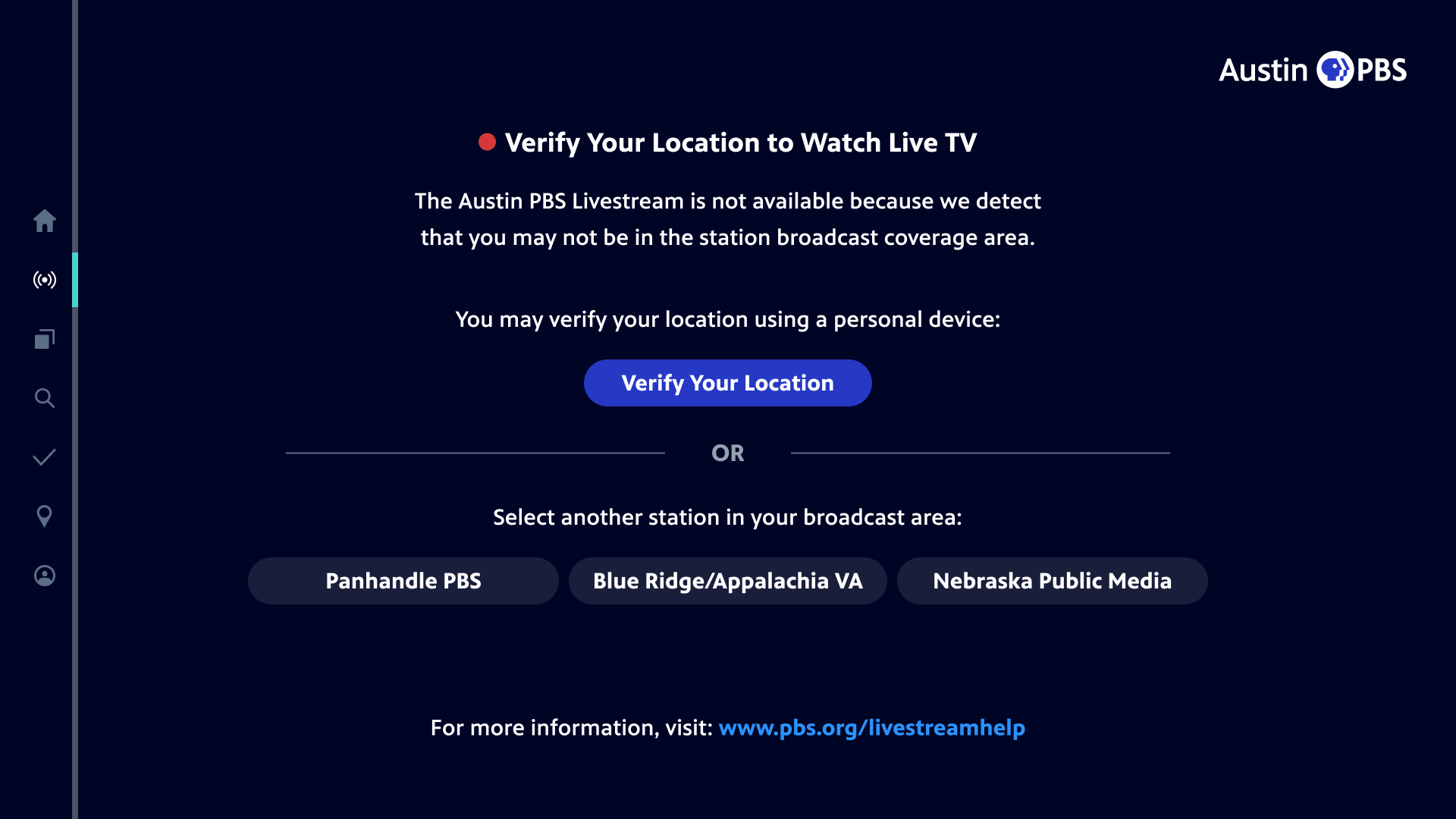
You'll be taken to a second screen where you'll be given a short alphanumeric code.

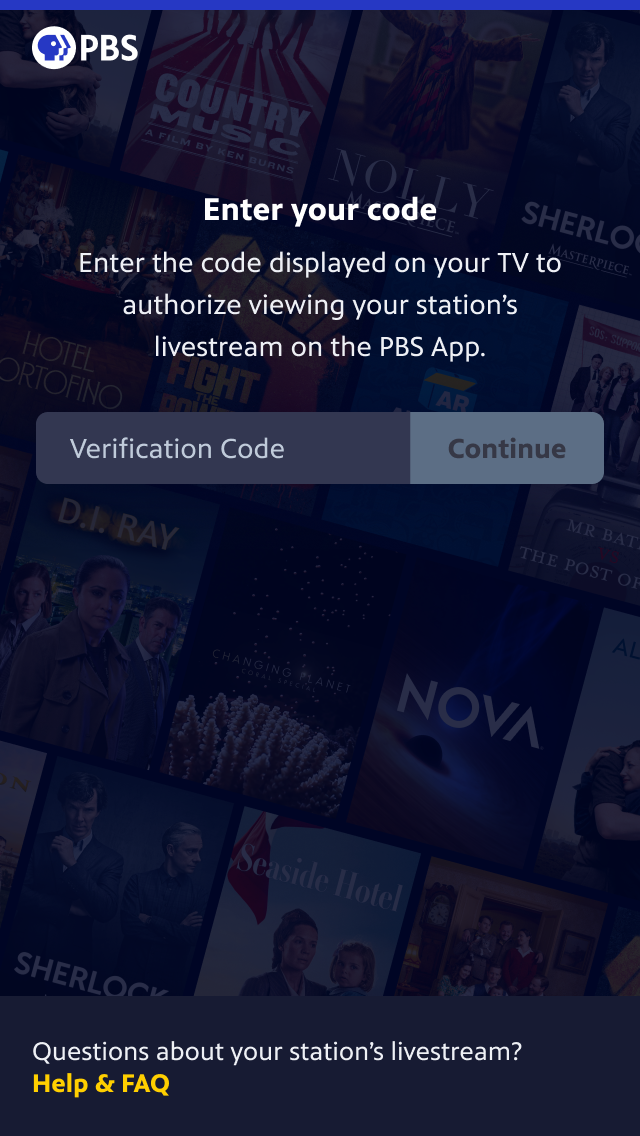
Next, use your second device - such as a smart phone, tablet, or computer - to go to the pbs.org/locate website. Your second device will need GPS technology built-in, which includes modern smart phones, tablets, and computers.
Once you go to pbs.org/locate on your second device, you should see this screen asking you to enter the alphanumeric code appearing on your TV's screen. Enter your unique code and continue.
After continuing, you'll be asked to Share My Location with PBS. Click or tap this option and you'll be asked to share your device's location with PBS. For this verification, we will need you to share your location with PBS, but PBS only temporarily looks at your location - we won't store it permanently.

When prompted by your device, allow location sharing with PBS on your second device, and we'll receive your location.
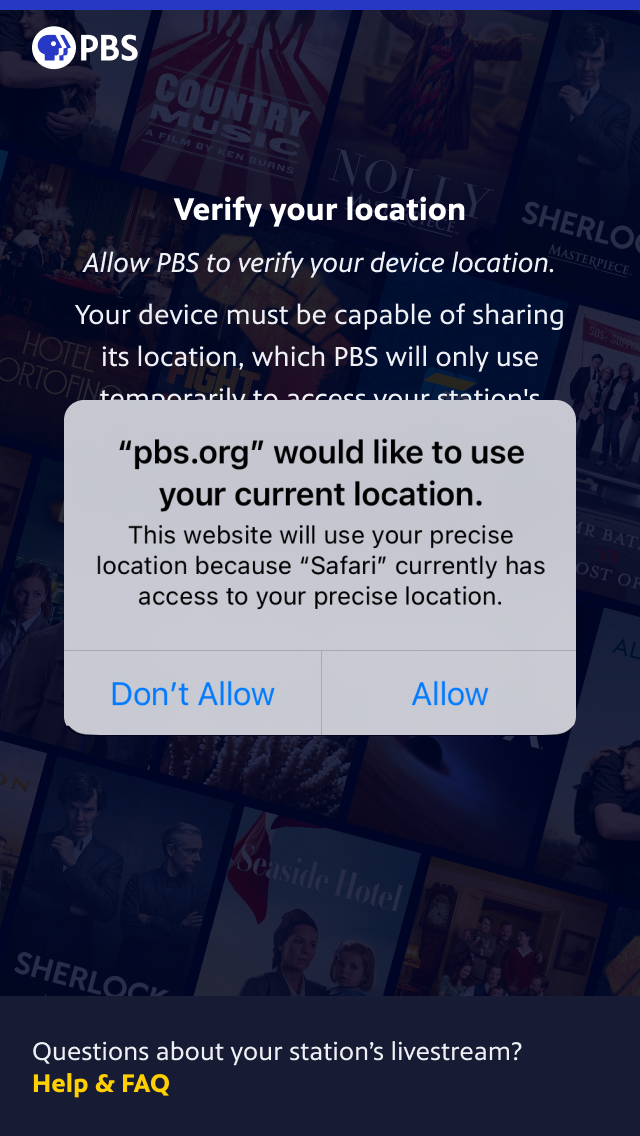
You'll receive a message that we could not access your location if you choose not to share your location, or your device is set to reject all location sharing, or if your device is not able to share its location for another reason. In these cases, please check your device or browser's location sharing settings, or try starting over at pbs.org/locate from another device.
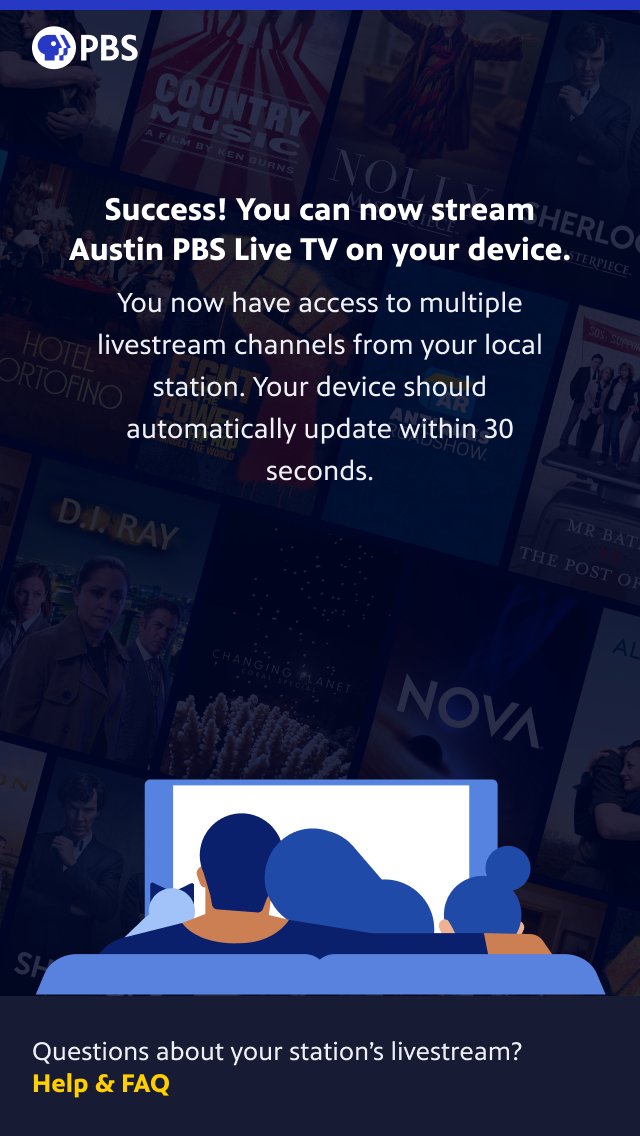
If you share your location with PBS, and we confirm you're currently located in your station's area, we'll automatically update your PBS app to allow access to your station's livestream. You can return to your TV to begin watching the livestream immediately.
Frequently Asked Questions
Why am I receiving this message to verify my location?
The PBS app needs to confirm that you live in the station’s area before you can watch the livestream, and the app does this by looking at the location your IP address provides.
This error has come up because your IP address has given the PBS app a location outside of your station’s area. Geolocation (e.g., how your IP address gives a location) is usually an approximation and is not always accurate. This can happen even if you live near the PBS station you're trying to livestream.
Unfortunately, this incorrect geolocation is often not something that PBS can control, since your IP address is determined by your Internet Service Provider.
I’m able to watch the channel on broadcast. Why can’t I watch it here?
The coverage area for broadcast television is established through different criteria.
Why do I have the option to choose some PBS channels but not my own?
Your IP address is putting you in a location within another station's coverage area, and not your own. You can either select another PBS local channel to watch or go through steps to manually verify your location in order to view your intended channel.
Will I have to verify my location on all devices?
On some devices, we can see your geographical location without you needing to take these steps. However, not all devices have this capability, and you'll have to verify your location on each individual device that requires it.
It says I have to verify my location using a personal device. What devices can I use?
You can use an Apple or Android smartphone or tablet, as long as it has GPS location tracking. You can also use these web browsers on a computer: Chrome, Safari, Firefox, or Edge.
Will I have to do this each time I try to watch my channel?
Not each time, but you will be prompted to do this every six months.
Where can I go if I need more help?
Please visit pbs.org/livestreamhelp for more information. If you cannot find what you are looking for, you can submit a ticket at the bottom of the page. Please provide as much detail as possible, including any error code you .