To sign in to PBS.org, you must first create a PBS Account. Learn how
If you already have a PBS account, follow the instructions below to sign in to PBS.org using your PBS Account.
- Go to PBS.org and in the upper right corner of the page, click Sign In (Figure 1).
Figure 1

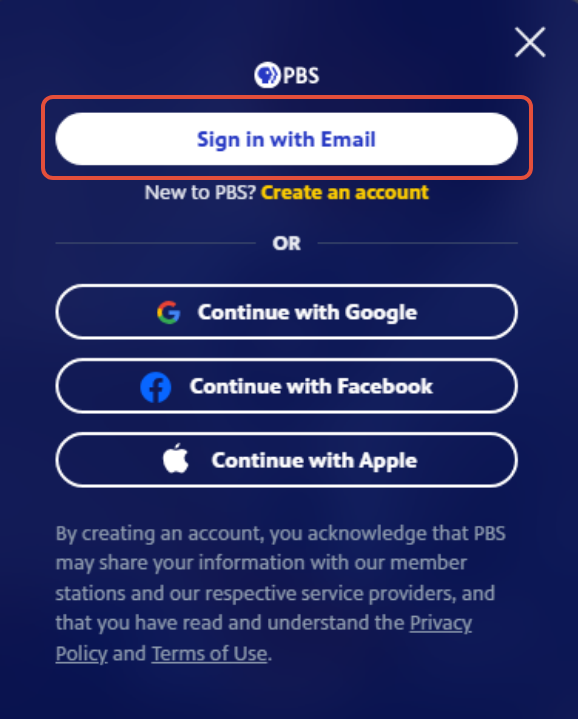
- Click Sign in with Email (Figure 2).
Figure 2
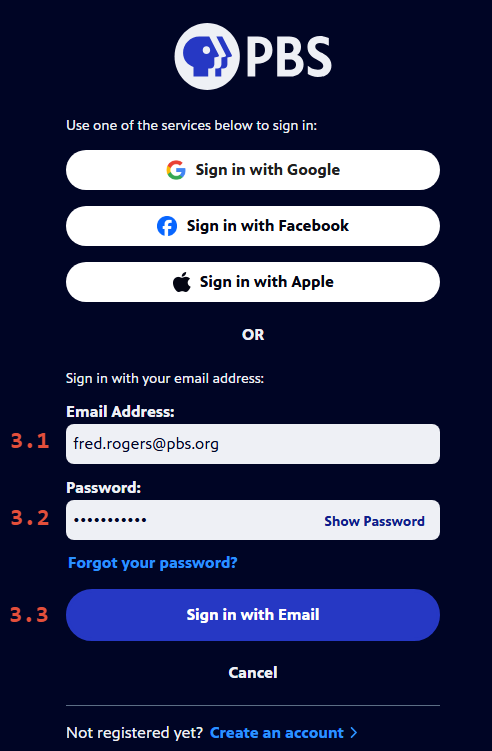
- In the Email Address textbox, type the email address that is associated with your PBS Account (Figure 3.1).
- In the Password textbox, type the password you set up for your PBS Account (Figure 3.2). Your password must contain at least eight (8) characters, including both letters and numbers.
- Click Show Password if you'd like to display the password as you type.
- Click Sign in with Email (Figure 3.3).
- If for some reason, you want to cancel the login process, click Cancel to go back to the PBS.org homepage without being signed in.
Figure 3
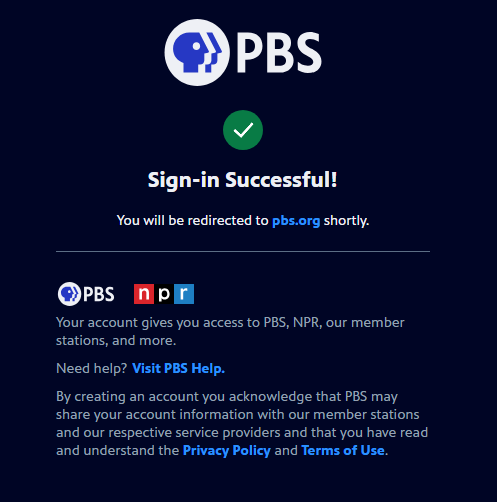
- After you have successfully signed in, a screen displays stating that your login is successful (Figure 4).
- After a few seconds, the screen automatically redirects to the PBS.org homepage and your login displays in the upper left side of the page.
Figure 4
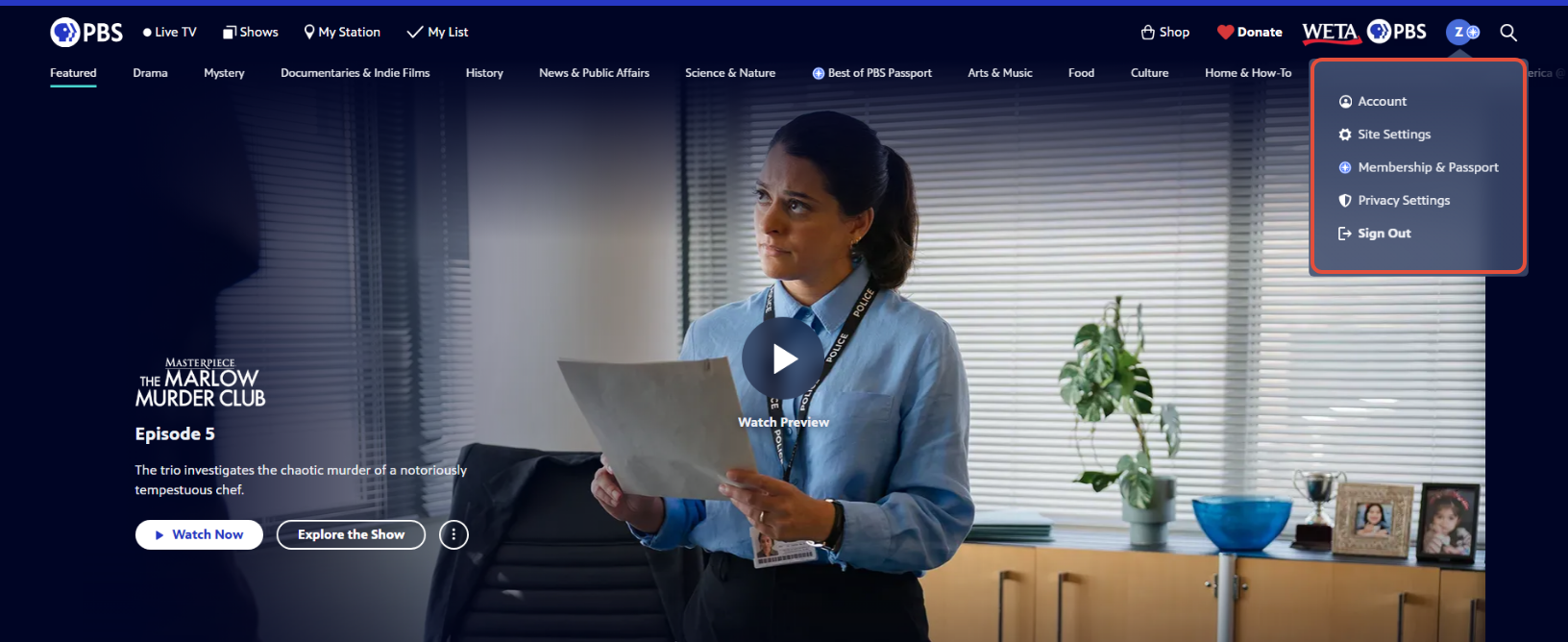
- In the top right side of the PBS.org homepage, hover over your login initial to display a dropdown menu with links to the following:
- Account - Manages your account settings
- Site Settings - Manages site settings such as autoplay
- Membership & Passport - Provides information for managing your Passport membership
- Privacy Settings - Manages privacy settings for site cookies
- Sign Out - Allows you to sign out of the website
Figure 5